What if my cell phone has a virus?

If your cell phone has a virus, first disconnect it from the internet by turning off Wi-Fi and mobile data.Then, restart the device in Safe Mode to prevent malware from running. Next, remove any suspicious or recently installed apps, clear your browser cache, and install a reputable antivirus app to scan and remove malware. If the problem persists, back up your important data and perform a factory reset as a last resort to wipe the device clean. 

1. Disconnect from the Internet 

  • Turn off Wi-Fi and mobile data: immediately to prevent the virus from spreading or sending your data to attackers.

2. Restart in Safe Mode 

  • Reboot your device into Safe Mode: to temporarily disable third-party apps.
  • In Safe Mode, you can identify and uninstall suspicious apps that may be causing the infection.
3. Remove Suspicious Apps
  • Go to your phone’s settings and find the “Apps” or “Apps & Notifications” section. 
  • Look for any apps you don’t recognize or that were installed around the time the virus appeared, and uninstall them. 

4. Clear Browser Cache 

  • Clear the cache and cookies: in your web browser’s settings.
  • This can remove malicious scripts and components downloaded by the virus.
5. Install and Scan with an Antivirus App
  • Download a trusted mobile security or antivirus app from a reputable app store. 
  • Run a full scan to detect and remove any malware that the previous steps didn’t catch. 

6. Change Your Passwords 

  • If you suspect your data has been compromised, change the passwords for your important accounts, such as your Google, email, and banking accounts.
7. Perform a Factory Reset (Last Resort)
  • If the virus continues to cause problems, perform a factory reset. 
  • This will erase all data, settings, and apps, returning the phone to its original state and effectively removing persistent malware. 

Which was the first cell phone in the world?

4
Who Made That Cellphone? - The New York Times

The Motorola DynaTAC 8000Xwas the first commercially available handheld cell phone, launched in 1983, following the first public call from a prototype DynaTAC by Martin Cooper in 1973. Often called “the brick phone” due to its large size, the DynaTAC 8000X offered limited talk time and required a lengthy charge but revolutionized personal mobile communication.
 

Key Details:
  • First Call: Cooper made the first call from a prototype in 1973 on a Manhattan street. 
  • Commercial Launch: The Motorola DynaTAC 8000X was released 10 years later, in 1983. 
  • Appearance & Functionality: It was a large, heavy device, roughly the size of a brick, and primarily used for voice calls. 
  • Limitations: A full charge took about 10 hours and provided approximately 30 minutes of talk time. 
  • Cost: The phone was very expensive, costing around $4,000 at its release. 
Historical Significance:
The DynaTAC 8000X was a groundbreaking device because it was the first handheld cellular phone available to the public. Before its introduction, mobile phones were mostly limited to car installations, marking a significant shift toward truly portable communication. 


How do cell phone towers really work?

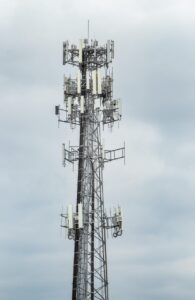
Cell towers work by using radio frequency (RF) signals to communicate with mobile phones within a defined geographic area called a “cell”. Antennas on the tower receive signals from phones and send them through fiber optic cables to the carrier’s network infrastructure, where data is processed and routed to its destination. For incoming calls, the process is reversed: data travels from the network to the tower and is then transmitted as an RF signal to your phone.

Here’s a breakdown of how the process works:
  • 1. Device to Tower (Uploading Data):
    When you make a call, send a text, or access the internet, your phone sends an RF signal to the nearest cell tower. 

  • 2. Tower to Network (Backhaul):
    The cell tower’s antennas capture these signals. This data is sent via a high-capacity data link, called a backhaul connection, to the carrier’s network infrastructure. 

  • 3. Network Processing:
    The network infrastructure, including mobile switching centers (MSCs) and aggregation points, processes the data and determines the most efficient path to the intended recipient. 

  • 4. Tower to Device (Downloading Data):
    For incoming calls or data, the process is reversed. The network sends the data to the appropriate cell tower, which then transmits the signal to your phone. 

  • 5. Hand-offs:
    As you move between cells, your phone will be seamlessly transferred from one tower to another by the network, a process called a handoff, to maintain your connection. 

Key components of a cell tower include:
  • Tower/Mast:
    The physical structure that holds the antennas at a strategic height to maximize coverage. 

  • Antennas:
    These are the primary pieces of equipment that transmit and receive the RF signals to and from mobile devices. 

  • Base Transceiver Station (BTS):
    Housed at the base of the tower, this equipment contains transceivers, amplifiers, and other tools to manage the radio signals and process communications. 

  • Backhaul Connection:
    High-capacity fiber optic cables connect the cell tower to the wider network, providing the necessary infrastructure for data transfer. 

  • Backup Power:
    Generators are often included to ensure the tower remains operational during power outages. 


What is the fastest cell phone in the world?

The Asus ROG Phone 9 Pro and the iQoo 13 are contenders for the fastest phones currently available. The ROG Phone 9 Pro is powered by the Snapdragon 8 Elite processor, boasting 24GB of RAM and 1TB of storage, and it has shown superior performance in benchmarks against the iPhone 16 Pro Max. The iQoo 13 also features the Snapdragon 8 Elite chip and is highlighted as one of the fastest Android phones. Other high-performing phones include the Samsung Galaxy S24 Ultra and the iPhone 16 Pro Max. 

Here’s a more detailed look at why these phones are considered fast:
  • Powerful Processor:
    It utilizes the Snapdragon 8 Gen 3 (Snapdragon 8 Elite) chip, known for its high performance.
  • High RAM and Storage:
    The phone comes with 24GB of RAM and 1TB of storage, allowing for smooth multitasking and ample space for demanding applications.
  • Advanced Cooling:
    It features a Gamecool thermal system to manage heat effectively during intense use, preventing performance throttling.
  • Gaming Focused:
    Its features and performance make it well-suited for demanding mobile games and other high-end smartphone tasks.
  • Benchmark Results:
    In benchmarks, the ROG Phone 9 Pro has been shown to outperform the iPhone 16 Pro Max in graphical tests and maintain high performance in multi-core CPU tests, according to a YouTube video analysis. 

  • Powerful Processor: It also features the Snapdragon 8 Gen 3 (Snapdragon 8 Elite) chip, placing it among the fastest Android phones. 
  • High Refresh Rate Display: The phone has a 144Hz LTPO AMOLED display, which provides smooth visuals and a responsive experience. 
  • Fast Charging: It supports 120W fast charging, allowing for quick top-ups. 
Other notable phones:
  • Samsung Galaxy S24 Ultra:
    This phone is also a strong contender in terms of performance, often benchmarked against the iPhone and other flagships.
  • iPhone 16 Pro Max:
    While the iPhone’s A18 Pro chip is powerful, the ROG Phone 9 Pro has shown to match or exceed its performance in certain benchmarks. 

Factors contributing to a phone’s speed:
  • Processor (CPU):
    The main engine of the phone, responsible for processing data and running applications. 

  • RAM:
    Allows the phone to quickly access and switch between multiple applications. 

  • Storage (ROM):
    Affects how quickly the phone can access and load data from its storage. 

  • Display Refresh Rate:
    Higher refresh rates (like 144Hz) result in smoother visuals, especially during gaming or scrolling. 

  • Cooling System:
    Efficient cooling prevents overheating, which can slow down a phone’s performance. 

  • Software Optimization:
    How well the phone’s operating system and apps are optimized for the hardware can also impact perceived speed. 

iPhone 17 pre-release leaks and rumors

Based on numerous leaks, rumors, and speculation, here is what is known about the iPhone 17:

Launch and Models

  • Launch Date: An accidental leak on the Apple TV app suggested the iPhone 17 will be announced at an event on September 9, 2025. This aligns with Apple’s typical release schedule. Pre-orders are expected to begin on Friday, September 12, with the official release date of September 19, 2025.
    @ +1
  • Model Lineup: The iPhone 17 series is expected to include four models: the iPhone 17, iPhone 17 Air, iPhone 17 Pro, and iPhone 17 Pro Max. The “Air” model is rumored to be a new, ultra-thin device that may replace the “Plus” variant. @ +1

Design and Display

  • Design: The iPhone 17 Pro and Pro Max models are rumored to have a new design with an aluminum frame, moving away from the titanium used in previous models. The back is said to be a
    “part-aluminum, part-glass” design.
    • Display:
    • All Models: A significant upgrade is expected across the entire lineup, with all iPhone 17 models rumored to feature ProMotion technology, bringing a 120Hz adaptive refresh rate to the standard and Air models. This was previously a Pro-exclusive feature.
    • Pro Models: The iPhone 17 Pro and Pro Max are expected to feature a new anti-reflective and more scratch-resistant display.

    Performance and Hardware

    • Processor: The iPhone 17 series is expected to be powered by the new A19 chip. The iPhone 17 Pro and Pro Max will likely feature the A19 Pro chip, while the standard iPhone 17 and iPhone 17 Air may get a modified variant or the standard A19
      chip. @ +1
    • RAM: All four iPhone 17 models are rumored to have 12GB of RAM, a significant increase from the 8GB in previous models. This is expected to improve multitasking and support new Al-powered features.
      • Cooling: To handle the increased performance, the Pro models may feature a vapor chamber cooling system. All models are rumored to have a metal-covered battery for better heat dissipation.
      • Connectivity: The entire iPhone 17 lineup is rumored to feature Apple’s own-designed Wi-Fi 7 chip, replacing the Broadcom chips used in earlier models.

      Camera Upgrades

      • Front Camera: A major upgrade is rumored for the front-facing camera on all four models, from 12MP to 24MP. This will significantly improve selfie quality and Face ID.
      • Rear Cameras:
      • Pro Models: The iPhone 17 Pro and Pro Max are expected to feature a 48MP telephoto lens, a major jump from the 12MP lens on previous models. This means all three rear cameras (Wide, Ultra Wide, and Telephoto) on the Pro models would be 48MP. There is also speculation of a new, larger rectangular camera bump.
      • Other Models: The standard iPhone 17 is expected to have a dual-camera system with a 48MP main and a 12MP ultrawide camera. The iPhone 17 Air is rumored to have a single 48MP

        rear camera.

        @+1

        Software and Other Features

        • Operating System: The iPhone 17 will launch with ios 26, which is expected to bring new Al-powered features, including live translation, call screening, and enhanced visual intelligence.
        • Dual Video Recording: The iPhone 17 Pro models may allow users to record video with the front and rear cameras simultaneously.
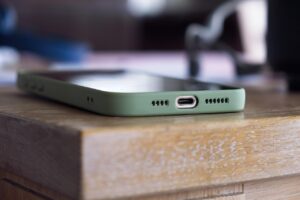
        • USB-C: The iPhone 17 series will continue to use the USB-C port for charging and data transfer.
        • Sources

          www.tomsguide.com

          ¡Phone 17 release date rumors – 3 key dates to put on your calendars | Tom’s Guide

          Since Apple normally does its launches in the first half of the week on a Tuesday, we can assume this year’s will happen at the start of that suggested window. …

          CNET

          www.cnet.com

          iPhone 17 Release Date, September Apple Event and Launch Day – CNET

          The only exception was in 2020 during the COVID-19 pandemic when the release was pushed back to Oct. 23 for the iPhone 12 and 12 Pro, and Nov. 13 for the …

          Times of India

          101

          timesofindia.indiatimes.com

          Apple iPhone 17 series set to launch soon: Check expected specs, pricing, camera upgrades and mo…

          Expected upgrades in performance, cameras, and Al-driven features could redefine Apple’s smartphone experience in 2025.

          TechRadar

          www.techradar.com

          Should you wait for the iPhone 17? I have the answer… – TechRadar

          By submitting your information you agree to the Terms & Conditions and Privacy Policy and are aged 16 or over.

          There is the rumored iPhone 17 Air, which could

        • Sources
          • Screen sizes: 6.3-inch (Pro) and 6.9-inch (Pro Max).
          • New design: Full-width camera bar and aluminum frame…
            MacRumors
            www.macrumors.com

          iPhone 17: Everything We Know – MacRumors All four iPhones released in 2025 are expected to get ProMotion display technology with a 120Hz maximum refresh rate for smoother scrolling and video playback, …

          Times of India

          101

          timesofindia.indiatimes.com

          Apple iPhone 17 series set to launch soon: Check expected specs, pricing, camera upgrades and mo… iPhone 17: Refined base model with key upgrades

          – A19 chip: Provides faster processing speeds and improved energy efficiency…

          9to5Mac

          9to5mac.com

          iPhone 17 Pro: Seven new features are coming next month – 9to5Mac

          A19 Pro chip. Apple will once again upgrade its new iPhones with a new and improved A-series chip. This year that will be the A19 Pro chip. Apple’s very best …

          Times of India

          TOI

          timesofindia.indiatimes.com

          Apple iPhone 17 series set to launch soon: Check expected specs, pricing, camera upgrades and mo…

          A19 Pro chip (5 GPU cores): Powerful chip optimized for efficiency, slightly reduced GPU compared to full Pro

        • Sources

          MacRumors

          www.macrumors.com

          iPhone 17: Everything We Know – MacRumors At a Glance. Planned for September 2025, the iPhone 17 models could feature larger display sizes, ProMotion across the lineup, Wi-Fi 7, and more.

          PC

          PCMag

          www.pcmag.com

          We’re Weeks Away From the iPhone 17. Here’s Everything We Know | PCMag

          Apple’s iPhones have long had 12MP front-facing cameras, but that’s about to change with the introduction of 24MP front shooters on all four iPhone 17 models, …

          CNET

          www.cnet.com

          iPhone 17 vs. 17 Air, 17 Pro, 17 Pro Max: All the Rumored Specs Compared – CNET

          We expect the usual feature gap to split the iPhone 17 generation, with the standard iPhone 17 having two cameras

          (48-megapixel main and 12-megapixel …

          PC

          PCMag

          www.pcmag.com

          We’re Weeks Away From the iPhone 17. Here’s Everything We Know | PCMag

          That, however, will remain exclusive to the 17 Pro models, according to the South Korean outlet Elec. Coming down to the phones individually, the iPhone 17 Air …

        • Sources

          Apple’s iPhones have long had 12MP front-facing cameras, but that’s about to change with the introduction of 24MP front shooters on all four iPhone 17 models, …

          CNET

          C

          www.cnet.com

          iPhone 17 vs. 17 Air, 17 Pro, 17 Pro Max: All the Rumored Specs Compared – CNET

          We expect the usual feature gap to split the iPhone 17 generation, with the standard iPhone 17 having two cameras

          (48-megapixel main and 12-megapixel …

          PC

          PCMag

          www.pcmag.com

          We’re Weeks Away From the iPhone 17. Here’s Everything We Know | PCMag

          That, however, will remain exclusive to the 17 Pro models, according to the South Korean outlet Elec. Coming down to the phones individually, the iPhone 17 Air …

          E

          Engadget

          www.engadget.com

          iPhone 17 release date, iOS 26 features and everything else to know about Apple’s upcoming li…

          The feature list includes big and small updates. On the more impactful side, the Phone and Photos apps have been redesigned. There will be several features …

          GSMArena.com

          www.gsmarena.com

          Apple iPhone 17 – Full phone specifications – GSMArena.com

          Sound. Loudspeaker. Yes, with stereo speakers.

When should I replace my iPhone battery?

According to Apple and general recommendations, you should consider replacing your iPhone battery when its “Maximum Capacity” drops below 80%. @

Here’s a breakdown of what that means and how to check:

1. The 80% Rule:

  • Apple designs its batteries to retain at least 80% of their original capacity after 500 complete charge cycles (for most models). ©
  • When your battery’s capacity falls below this 80% threshold, it can lead to noticeable performance issues, such as:
  • Shorter battery life, requiring more frequent charging.
  • Slower app performance.
  • Dimmer screen brightness. ®
  • Unexpected shutdowns. O
  • At this point, Apple’s software may also start
    “throttling” the phone’s performance to prevent unexpected shutdowns, which can make yourphone feel sluggish.

    2. How to Check Your Battery Health:

    • Go to Settings on your iPhone. &
    • Tap on Battery.
    • Tap on Battery Health & Charging (or just Battery
      Health on older iOS versions). ©
    • You will see a “Maximum Capacity” percentage.
      This number indicates the current battery capacity relative to when it was new. @ +1

    3. Other Factors to Consider:

    • Your experience: Even if your battery health is above 80%, you might find that the battery life is no longer meeting your needs. If you find yourself constantly looking for a charger or a power bank, it might be a good time to get a replacement, regardless of the percentage.
      • Apple Store or an Apple Authorized Service Provider: This is generally the safest and most reliable option. If you have AppleCare+, a battery replacement is free if the capacity is below 80%.
        Otherwise, there is a fee.
      • Third-party repair shops: These can be a more affordable option, but be sure to choose a reputable shop that uses high-quality parts. Using non-original batteries or improperly installing a new one could cause other issues with your phone.”Service” Message: If your iPhone’s battery health screen displays a “Service” message, it’s astrong indication that the battery needs to be replaced to restore full performance and capacity.

iPhone 16 pro max


The iPhone 16 Pro Max has impressive charging capabilities. Here are some key details :
• Fast Charging: The iPhone 16 Pro Max supports up to 35W fast charging, allowing it to charge from 0% to 50% in around 25-30 minutes. However, some reports suggest it might support up to 45W charging.
• Charging Time: It takes approximately 2 hours and 20 minutes to fully charge the iPhone 16 Pro Max using a 30/35W USB-C power adapter.
• Wireless Charging: The device also supports MagSafe wireless charging at 15W, making it convenient for quick top-ups.
• Recommended Charger: To take full advantage of the 35W charging capability, you’ll need a USB-C Power Delivery (PD) charger with at least 35W output.
• No Charger Included: Keep in mind that the iPhone 16 Pro Max doesn’t come with a charging brick, so you’ll need to purchase one separately.

Some popular charger options for the iPhone 16 Pro Max include :
• Apple 20W USB-C Power Adapter: A reliable choice that delivers fast charging capabilities.
• Anker PowerPort III Nano 20W Charger: A compact and efficient charger with PowerIQ technology.
• UGREEN 65W USB-C Charger: A powerful charger with dual ports for simultaneous charging of multiple devices.

When choosing a charger, ensure it’s compatible with USB-C and has the desired power output for your needs.

sources:


7 Best Chargers for iPhone 16 Pro and iPhone 16 Pro Max

„Charging Review of iPhone 16 Pro Max“


https://tutorial.info/video/does-iphone-16-pro-max-come-with-charger-or-understanding-charger-included-with-iphone-16-pro-max


iPhone 14 series only supports eSIM


What is an eSIM and why has Apple made the switch?

An eSIM allows carrier service to be integrated into the phone itself eliminating the need for a physical SIM card. Here in the US Apple’s iPhone 14 no longer has a SIM card slot and only supports eSIM technology. This allows the extra space in the phone to be used for other components.

Since the release of eSIM on iPhones it has become much easier to switch carriers which may result in users switching more often.


Are Apple’s iPhones or Samsung’s Androids better?

This has been a long debated topic and has quite a few cell phone users confused. We are here to shed some light on the subject.

If we were to answer this question just by sales volume alone, then the cut and dry winner would be Apple who have on average made 50% of all phone sales in the entire US market. Samsung only makes around 25% of sales in the USA.

One difference between Samsung’s Android and Apples iPhone is price. Although Samsung devices typically have better hardware and are less expensive, iPhones tend to hold their value longer.

As far as cell phone operating systems, it would be safe to say that the iOS system operates more smoothly than Android devices. The reason for this is that Apple invented the iOS software and it runs seamlessly on the iPhones that it was designed to be used with. It is a closed system and this makes it less customizable to its users. So for those that truly want to change their phone’s features for a unique experience, Samsung phones are the best choice.

As far as being user friendly Apple’s iPhones appears to be the best option. It is basically a plug and play operating system designed so that even the very young or the elderly will have no problem learning how to use it. That is the reason why so many people have said “I just can’t get used to switching to Android”. It’s less of a matter of functionality and more a matter of user comfort.

There is also the subject of repairability to consider. Up until just recently Samsung’s devices have been much more expensive to repair, especially when it comes to the most common thing to break on a phone. It is the screen of course. Replacement of a Samsung screen at an independent repair shop has usually run in the past anywhere between $200 to as much as even $400 dollars to replace, while an Apple screen replacement would be as low as $50-$200. The reason for this is the cost of the part that you have to buy…

Call Us For A Free Quote! (813) 863-2976

Batteries, charging ports, cameras, speakers, microphones, home buttons and more!
Water Damage? We Can Fix That!